Filtering Products

Filtering Products
Filters allow you to narrow down product results based on specific attributes.
Using Filters
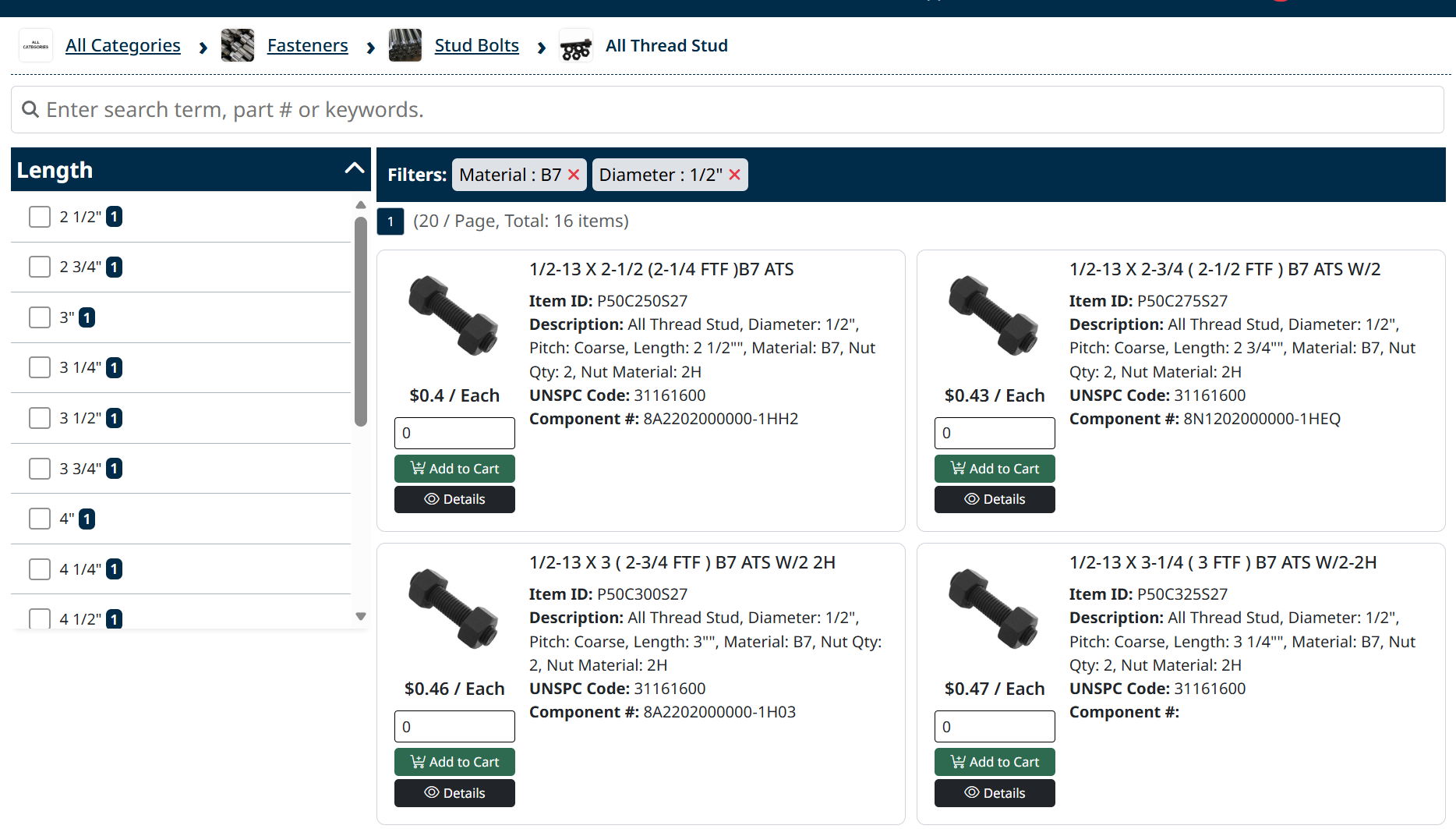
Filters are located on the left side of the product list.
- Select one or more filter options to refine your results
- Available filters may include attributes such as style, pipe size, pressure, or material
- The product list updates automatically as filters are applied
Active Filters
Selected filters appear at the top of the results.
- Click the X next to a filter to remove it
- Remove filters to broaden your results
Tips
- Combine multiple filters to quickly find specific items
- Use filters together with search for more precise results
Next Step
Select a product to view more information in Viewing Product Details.
Created with the Personal Edition of HelpNDoc: Free iPhone documentation generator