Products Screen

Products Screen
The Products screen is the main area for browsing items available to your selected customer site.
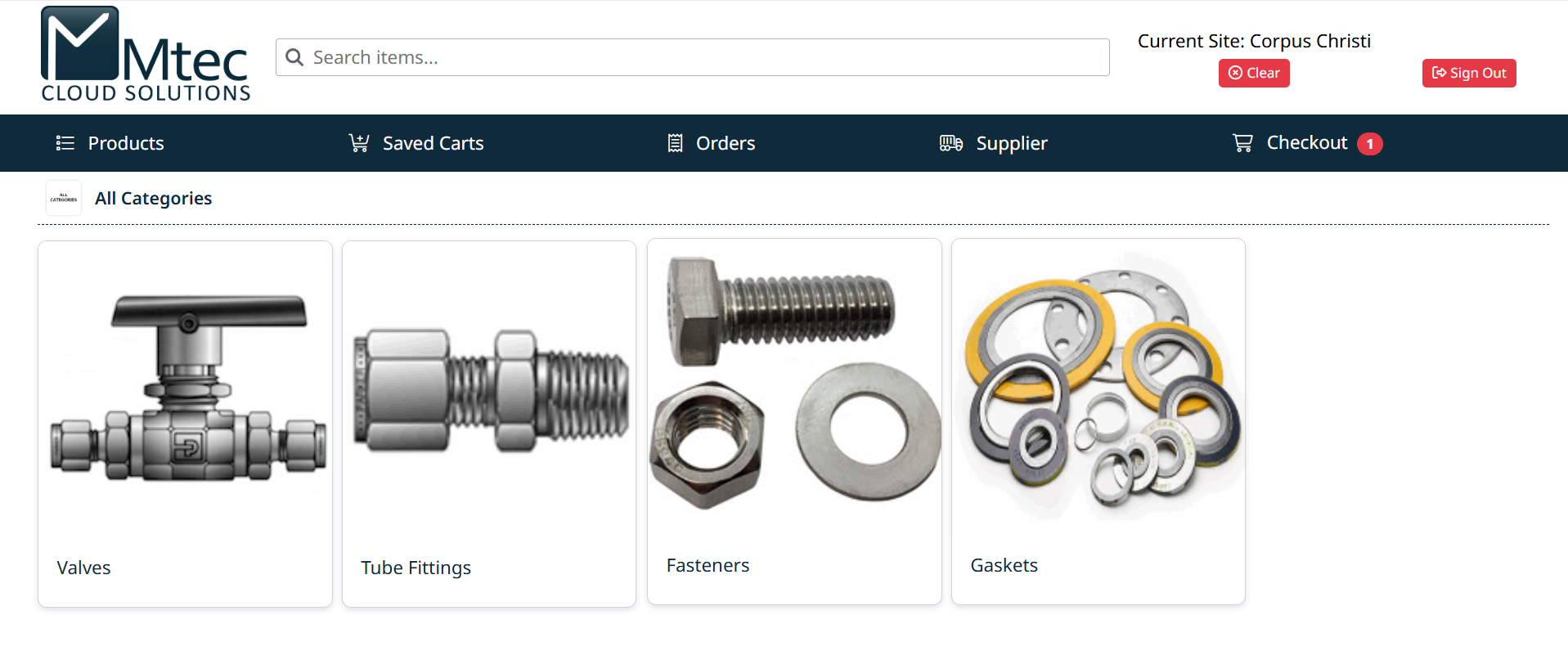
Key Elements
- Navigation Bar – Access Products, Saved Carts, Orders, Supplier information, and Checkout
- Search Bar – Quickly search for items by name, part number, or keyword
- Customer Site – Displays the currently selected site
- Category Tiles – Represent top-level product categories
Using the Products Screen
- Click a category tile to begin browsing products
- Use the search bar to find items directly
- Use the navigation bar to move between different areas of the application
Next Step
To browse products by category, continue to Navigating Categories.
Created with the Personal Edition of HelpNDoc: Easily create EPub books