Selecting a Customer and Site

Selecting a Customer and Site
After signing in, you must select a customer and customer site to continue.
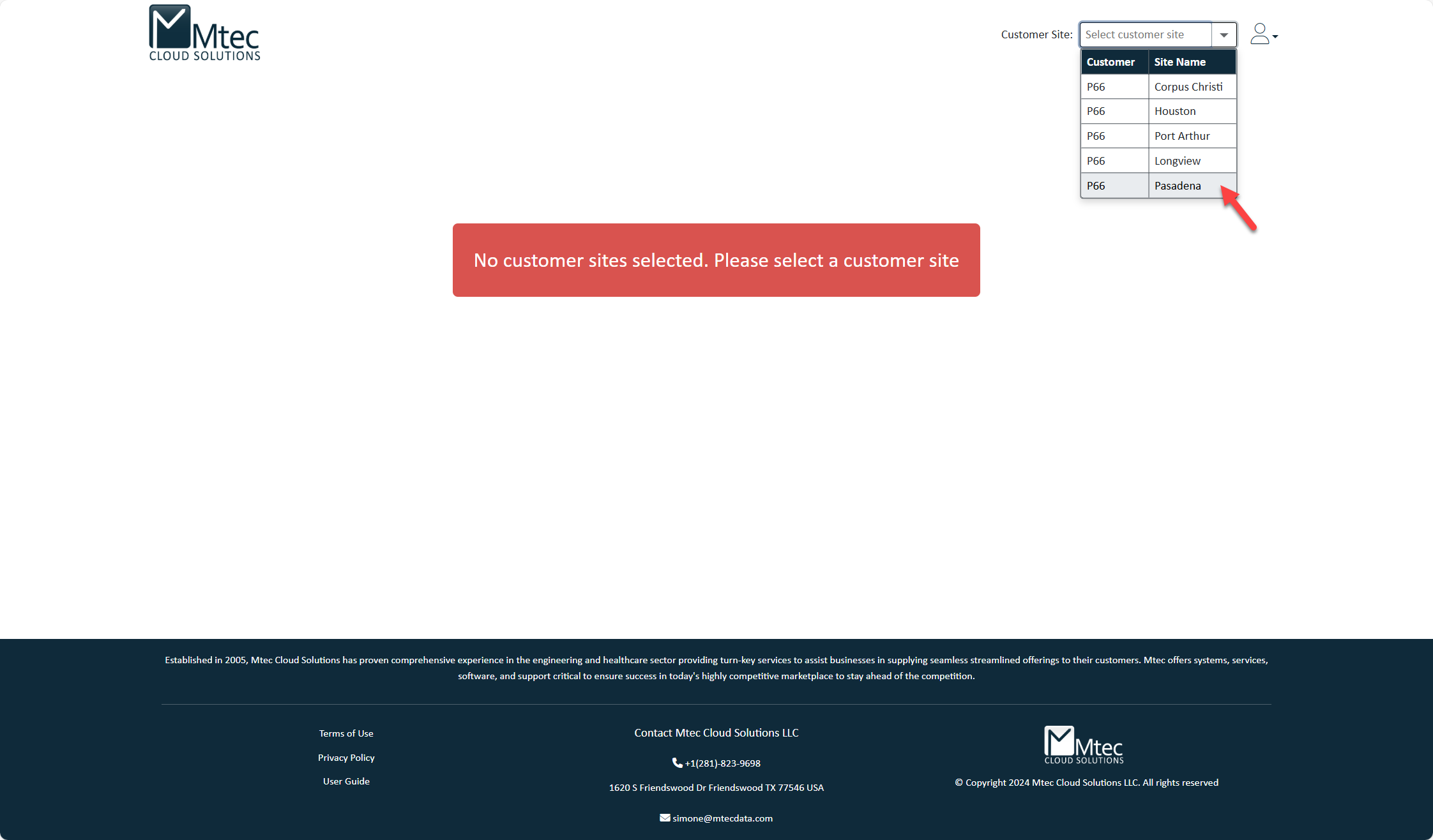
Select a Customer and Site
- In the top-right corner, click the Customer Site drop-down
- (Optional) Use the search box to find a customer or site
- Select the required customer and site from the list
Once selected, the application will load the relevant products and drawings.
If No Site Is Selected
If a site is not selected, the following message will appear:
"No customer sites selected. Please select a customer site."
Select a customer and site to continue.
Troubleshooting
- No customers or sites available
- Contact your organization’s administrator to confirm your access
- Wrong site selected
- Reopen the drop-down and choose the correct site
Next Step
After selecting a site, continue to Browsing Products.
Created with the Personal Edition of HelpNDoc: What is a Help Authoring tool?